
Your Bank is a tycoon simulator on Roblox where the core gameplay revolves around managing and expanding your bank to become the wealthiest. Money for reaching the top of the leaderboard is generated by bank workers, who are obtained by opening boxes. There are different types of bankers in this game and each has a different rarity as well as an earning rate.
This guide will tell you about the fundamentals of the Your Bank gameplay.
Beginner’s guide for Roblox Your Bank
Gameplay overview
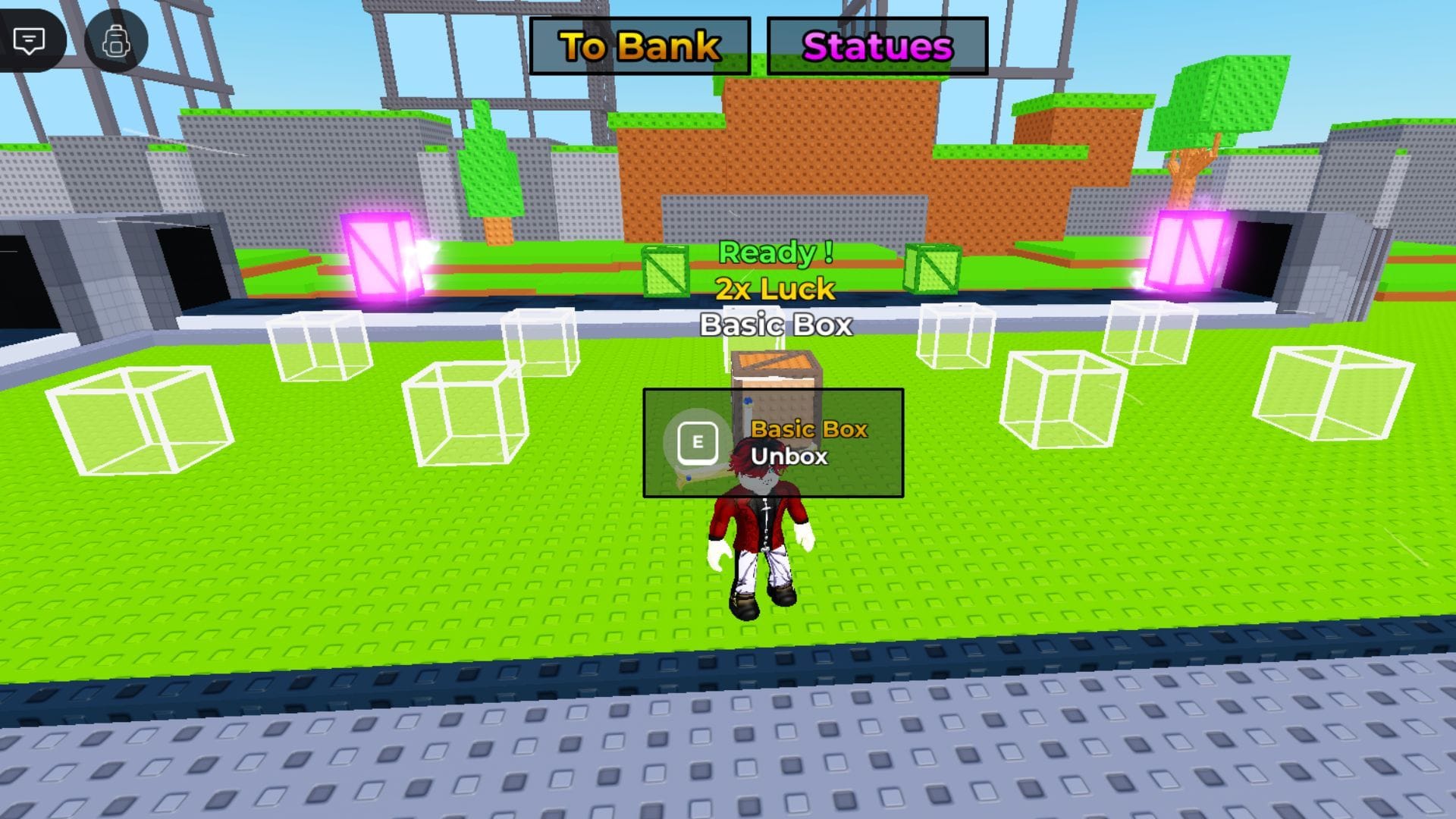
In the tutorial, players are tasked with purchasing and opening their first box. Boxes can be bought from the conveyor belt but their price depends on their Luck. The higher the Luck, the pricier the crate, and the rarer and better are its contents.
Each box has an unlock timer. When it is over, you can open it to get a banker and then place the unit in your bank. All workers deployed in your base start earning Cash every second, which you can collect by holding the E key on PC.
Cash, the in-game currency, can be used in the following ways:
- You can buy more boxes from the conveyor belt.
- You can purchase statues, which boost your earning rate.
- You can unlock more statue slots.
- A minimum Cash amount is required for rebirthing.
The ultimate objective in this tycoon experience is to get rich. Workers also earn money offline to help you in your goal.
Controls
Here are the PC controls for the game.
- Movement: W, A, S, D keys
- Purchase box – Hold E key when near box
- Place box – Equip the box and double left-click on highlighted areas
- Unbox – Hold E
- Screen drag – Hold the right mouse button
- Zoom in – I
- Zoom out – O
Shops
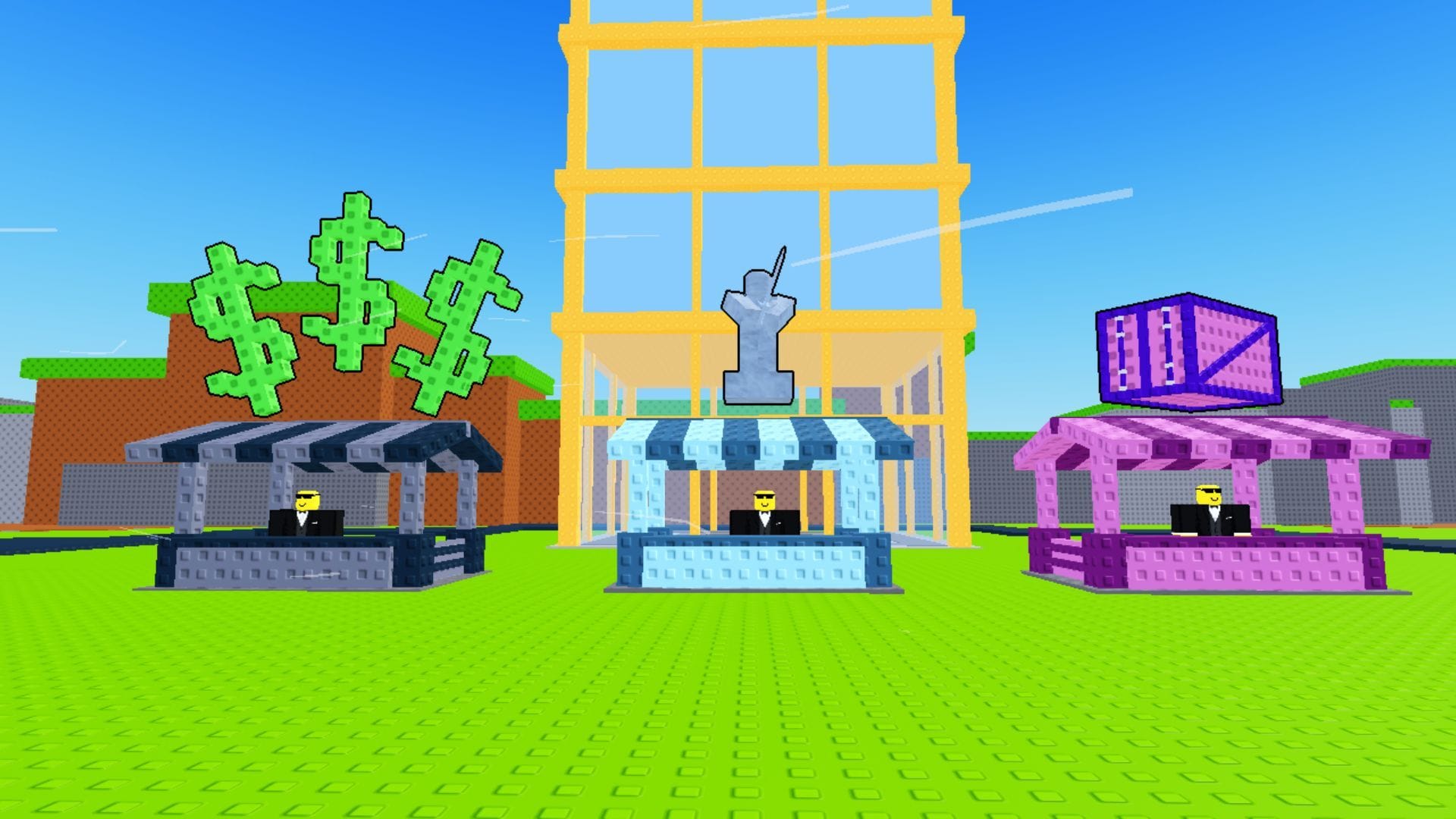
Currently, there are three shops. All of them are next to each other and players can teleport to them by pressing the Statues button at the top of the screen.
- Box Shop: Use tokens to get boxes, such as the Mega Container, Helix Box, and Vault.
- Statue Shop: Buy statues of different rarities with Cash.
- Seller: Sell your banker units in this shop.
Tokens for buying crates from the Box Shop are earned over time. You can find its associated currency icon, “P”, above your Cash counter on the bottom left.
Also check: Craft Food: A beginner’s guide
Rebirth
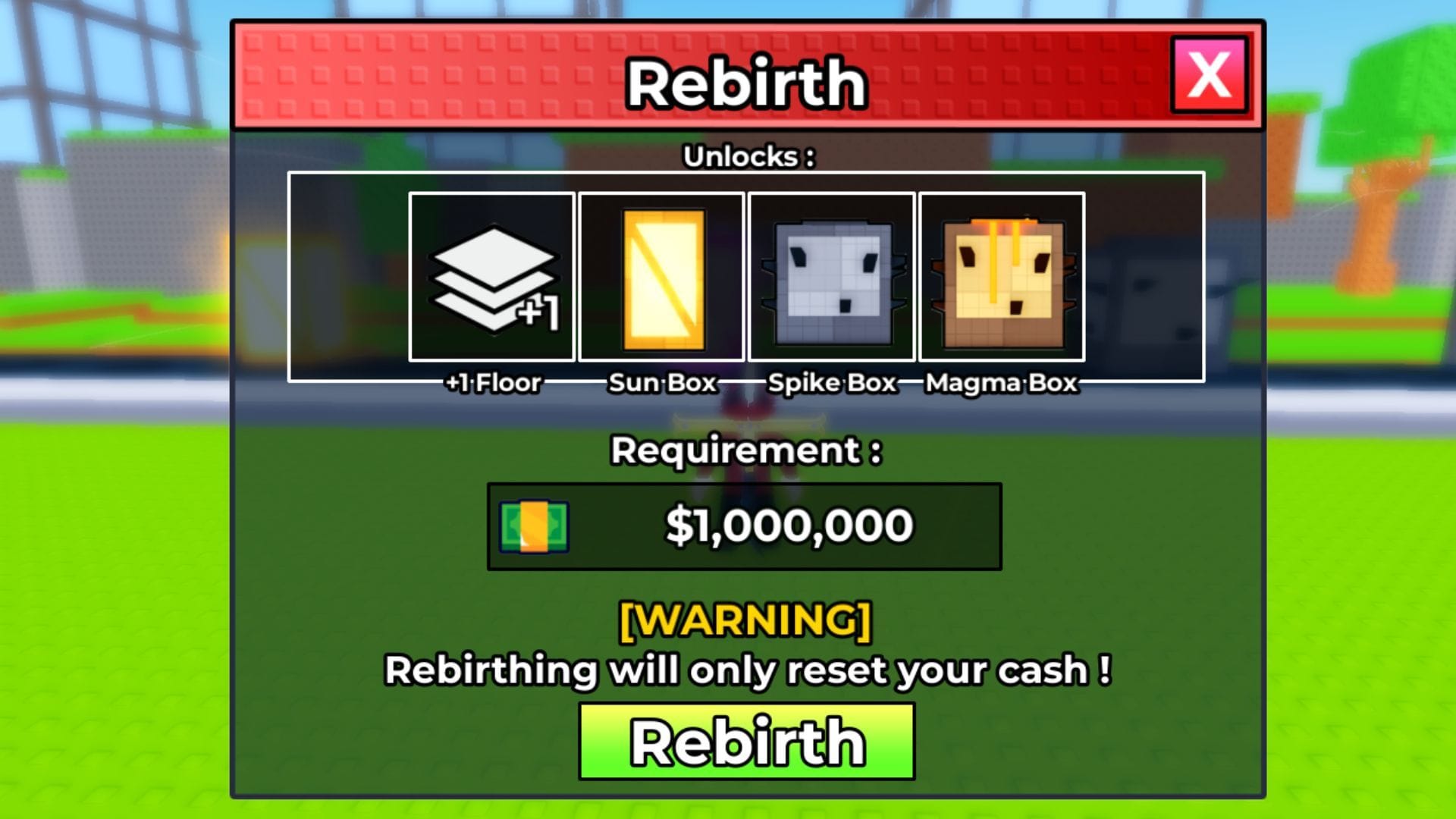
Your Bank, similar to other tycoon games, lets you Rebirth to get different perks. A Rebirth resets all your Cash, but in turn, you unlock more floors and rarer crates. It is an essential mechanic for expanding your bank.
Robux Shop
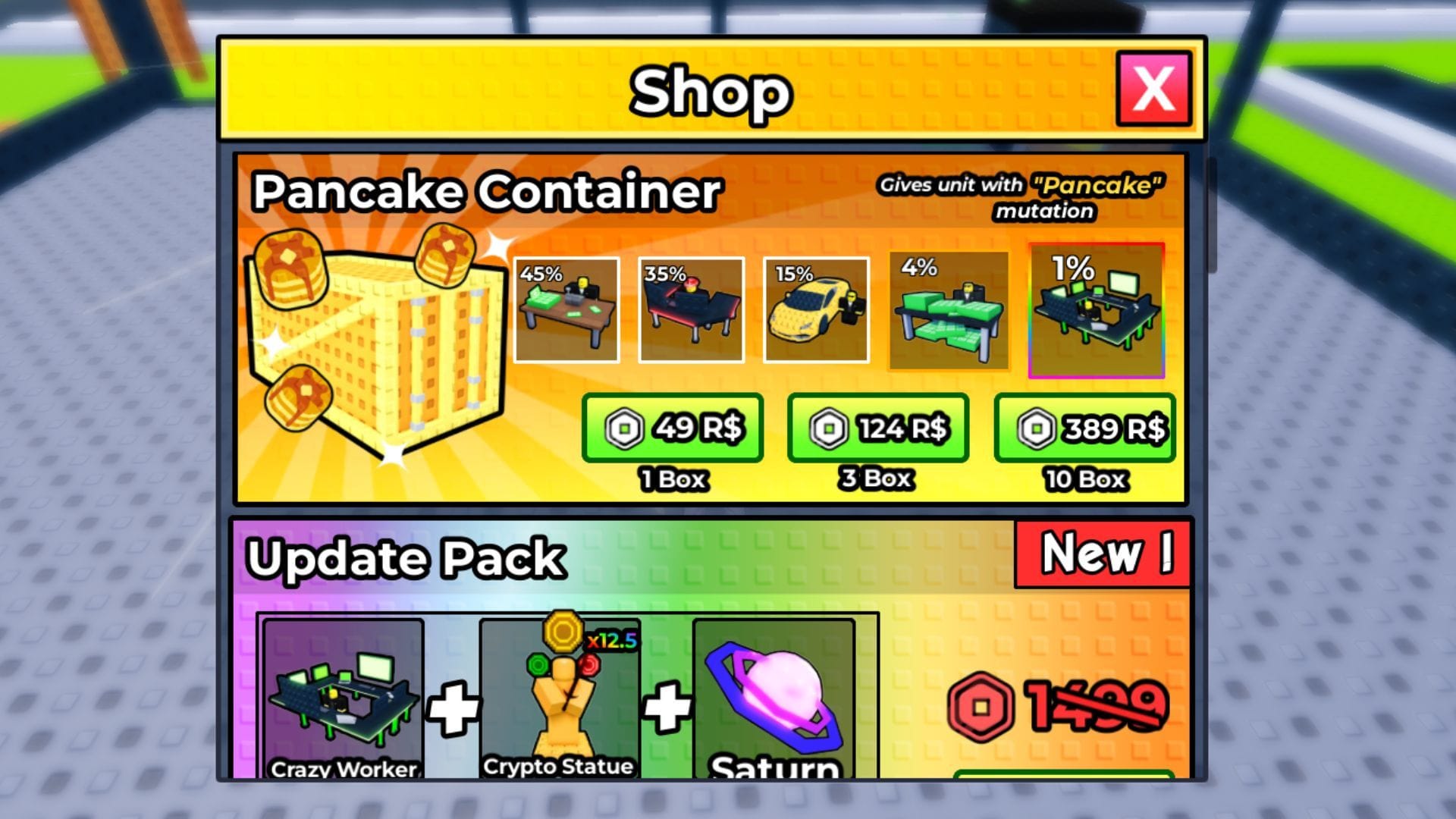
Pressing the Shop button on the screen opens the Robux Shop. Here, you can browse exclusive packs and items that give you a competitive edge over others. For instance, the Update Pack gives you the rare Crazy Worker, a Crypto Statue that gives a 12.5x boost to your earnings, and more useful items.
The Robux Shop currently has the Pancake Container in store. Such limited-time items could be introduced in future updates as well, giving players premium options to expand their tycoon.
Also check: Trade a Brainrot: A beginner’s guide
FAQs on Roblox Your Bank
How to store bankers?
You can store bankers by using the Storage Tool. Equip it from your toolbar and then double-click on the banker that needs to be stored.
What is the Pancake Container?
The Pancake Container is a limited box that gives units with the Pancake Mutation. A single box costs 39 Robux, while 10 boxes are at the price of 389 Robux.
Where do I place statues?
You can place statues in the slots at the edges of your base.
Edited by Spandan Chatterjee



Leave a Reply